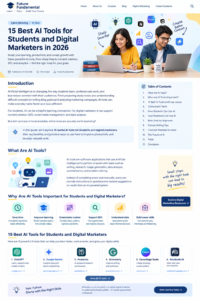
15 Best AI Tools for Students and Digital Marketers in 2026
Artificial intelligence is changing the way students learn, professionals work, and businesses connect with their audiences. From preparing study notes and understanding difficult concepts to writing blog posts and analyzing marketing campaigns, AI tools can make everyday tasks faster and more efficient.
For students, AI can be a helpful learning companion. For digital marketers, it can support content creation, search engine optimization (SEO), social media management, and data analysis.
But with so many AI tools available, which ones are actually worth exploring?
In this guide, Future Fundamental explores 15 useful AI tools for students and digital marketers, their key benefits, and practical ways to use them to improve productivity and develop valuable skills.
What Are AI Tools?
AI tools are software applications that use artificial intelligence to perform or assist with tasks such as writing, research, image generation, data analysis, summarization, and problem-solving.
Instead of completing every task manually, users can provide instructions, questions, or data and receive suggestions or results from an AI-powered system.
For example, a student can use an AI assistant to understand a difficult accounting concept, while a digital marketer can use one to brainstorm blog topics or create a social media content calendar.
AI tools are most useful when they support human thinking, creativity, and decision-making rather than replace them.
Why Are AI Tools Important for Students and Digital Marketers?
AI skills are becoming increasingly useful across education and digital marketing. Learning to use these tools responsibly can help you:
- Save time: Complete repetitive tasks more efficiently.
- Improve learning: Break complex subjects into simpler explanations.
- Create better content: Develop ideas, outlines, captions, and drafts.
- Support SEO: Discover content opportunities and improve website structure.
- Understand data: Organize information and identify patterns.
- Build career skills: Practice real-world tasks for internships, freelancing, and jobs.
Remember that AI-generated information can contain mistakes. Always review important facts, verify sources, and apply your own judgment.
1. ChatGPT – For Learning, Research, and Content Ideas
ChatGPT is an AI assistant that can help users brainstorm ideas, explain concepts, draft content, and solve problems.
How students can use it:
- Understand difficult topics in simple language.
- Generate revision questions and practice quizzes.
- Create study schedules.
- Summarize notes they provide.
How digital marketers can use it:
- Brainstorm blog topics and keyword-based outlines.
- Draft email campaigns and social media captions.
- Generate content calendar ideas.
- Create customer personas and marketing campaign concepts.
Best for: General productivity, learning support, and content planning.
Website: https://chatgpt.com/
2. Google Gemini – For Research and Everyday Productivity
Google Gemini can help users explore ideas, understand information, draft content, and work through questions. Its available features may vary by account and plan.
How students can use it:
- Ask for explanations of academic concepts.
- Brainstorm presentation topics.
- Organize research questions.
- Develop revision plans.
How digital marketers can use it:
- Generate campaign ideas.
- Brainstorm audience-specific content.
- Draft marketing copy.
- Explore different approaches to a business problem.
Best for: Brainstorming, explanations, and productivity.
Website: https://gemini.google.com/
3. Perplexity – For AI-Assisted Research
Perplexity is an AI-powered answer and research tool that can help users explore questions and find linked sources.
How students can use it:
- Begin research on a new topic.
- Explore different perspectives.
- Find sources to investigate further.
- Prepare questions for deeper study.
How digital marketers can use it:
- Research industry trends.
- Explore competitor positioning.
- Collect background information for articles.
- Identify sources for fact-checking.
Best for: Research and source discovery.
Always open and evaluate the original sources before relying on information in an academic assignment or published article.
Website: https://www.perplexity.ai/
4. Grammarly – For Writing and Grammar Improvement
Grammarly provides writing assistance for grammar, clarity, tone, and other aspects of communication. Its AI features depend on the plan and product.
How students can use it:
- Check grammar in essays and assignments.
- Improve sentence clarity.
- Practice professional writing.
- Review emails before sending them.
How digital marketers can use it:
- Proofread website content.
- Improve email readability.
- Review social media captions.
- Maintain a consistent brand voice.
Best for: Editing and polishing written communication.
Website: https://www.grammarly.com/
5. Canva Magic Studio – For Visual Content Creation
Canva offers design tools and AI-assisted features that help users create visual content, including presentations, social media graphics, and marketing materials.
How students can use it:
- Design attractive presentations.
- Create educational posters and infographics.
- Prepare project covers.
- Turn key concepts into visual summaries.
How digital marketers can use it:
- Design Instagram posts and story graphics.
- Create website banners.
- Develop advertising creatives.
- Build branded presentation decks.
Best for: Graphic design and visual communication.
Website: https://www.canva.com/
6. Google NotebookLM – For Studying Your Own Sources
NotebookLM is a research and learning assistant designed to work with sources you provide, subject to its supported formats and current features.
How students can use it:
- Explore uploaded study materials.
- Ask questions about supplied documents.
- Organize information for revision.
- Generate summaries from source material.
How digital marketers can use it:
- Review marketing reports.
- Organize information from campaign documents.
- Summarize research materials.
- Prepare internal knowledge resources.
Best for: Working with documents and source-based learning.
Website: https://notebooklm.google.com/
7. Microsoft Copilot – For Productivity and Work Assistance
Microsoft Copilot provides AI assistance across supported Microsoft products and other experiences, depending on the version and subscription.
How students can use it:
- Brainstorm presentation content.
- Improve drafts.
- Organize project ideas.
- Assist with supported spreadsheet and document tasks.
How digital marketers can use it:
- Draft business emails.
- Develop report outlines.
- Organize campaign information.
- Assist with spreadsheet analysis in supported environments.
Best for: Productivity and office-related tasks.
Website: https://copilot.microsoft.com/
8. Claude – For Long-Form Writing and Analysis
Claude is an AI assistant that can help with writing, document analysis, brainstorming, and structured problem-solving.
How students can use it:
- Explore complicated concepts.
- Organize notes into structured outlines.
- Review writing for clarity.
- Work through multi-step questions.
How digital marketers can use it:
- Develop detailed blog outlines.
- Draft website pages.
- Review brand messaging.
- Analyze supplied marketing documents.
Best for: Long-form drafting, structured writing, and document analysis.
Website: https://claude.ai/
9. Google Trends – For Understanding Search Interest
Google Trends helps users explore how search interest changes over time and compare interest across topics and locations. It is not exclusively an AI tool, but it is valuable in a modern research workflow.
How students can use it:
- Explore trends related to projects.
- Investigate changes in public interest.
- Find ideas for research topics.
How digital marketers can use it:
- Compare interest in related topics.
- Discover seasonal content opportunities.
- Explore regional search interest.
- Support campaign planning.
Best for: Trend research and content planning.
Website: https://trends.google.com/
10. Surfer – For SEO Content Optimization
Surfer provides SEO-focused content tools that can help writers evaluate content and organize optimization workflows.
How students can use it:
- Learn basic on-page SEO concepts.
- Practice structuring web content.
- Explore how headings and topical coverage work.
How digital marketers can use it:
- Review article structure.
- Identify potential content gaps.
- Support on-page optimization.
- Plan content around relevant search topics.
Best for: SEO content planning and optimization.
Website: https://surferseo.com/
11. Semrush – For SEO Research and Marketing Insights
Semrush offers digital marketing tools for keyword research, competitor analysis, website auditing, and other marketing activities. Some features use AI assistance.
How students can use it:
- Practice keyword research.
- Learn how website audits work.
- Explore competitor analysis.
- Build an SEO portfolio project.
How digital marketers can use it:
- Research target keywords.
- Monitor website performance.
- Identify technical SEO issues.
- Explore content and competitor opportunities.
Best for: SEO research and marketing analysis.
Website: https://www.semrush.com/
12. HubSpot – For Marketing and Customer Relationship Management
HubSpot provides marketing, sales, customer service, and customer relationship management tools, including AI-assisted features.
How students can use it:
- Learn CRM fundamentals.
- Explore email marketing workflows.
- Practice lead management concepts.
- Understand customer journeys.
How digital marketers can use it:
- Organize lead information.
- Plan email campaigns.
- Support marketing automation.
- Manage customer interactions.
Best for: CRM, inbound marketing, and customer communication.
Website: https://www.hubspot.com/
13. Mailchimp – For Email Marketing
Mailchimp is an email marketing and marketing automation platform with features that vary by plan.
How students can use it:
- Practice building an email campaign.
- Learn newsletter structure.
- Understand audience segmentation.
- Study email marketing metrics.
How digital marketers can use it:
- Create newsletters.
- Build email sequences.
- Organize audience segments.
- Monitor campaign performance.
Best for: Email marketing and audience communication.
Website: https://mailchimp.com/
14. CapCut – For Short-Form Video Creation
CapCut offers video editing tools and AI-assisted features, with availability varying by platform and region.
How students can use it:
- Create educational videos.
- Add captions to supported videos.
- Prepare project presentations.
- Produce short learning explainers.
How digital marketers can use it:
- Edit Instagram Reels.
- Produce YouTube Shorts.
- Create product demonstrations.
- Repurpose longer videos into short clips.
Best for: Short-form video production and social media content.
Website: https://www.capcut.com/
15. Google Analytics – For Understanding Website Performance
Google Analytics is an analytics platform rather than a general-purpose AI assistant. It helps website owners understand how visitors interact with their websites and evaluate marketing performance.
How students can use it:
- Learn website analytics.
- Practice interpreting traffic reports.
- Understand engagement and conversion metrics.
- Build practical marketing case studies.
How digital marketers can use it:
- Analyze traffic sources.
- Understand user behavior.
- Evaluate landing-page performance.
- Measure conversions and campaign outcomes.
Best for: Website analytics and data-driven decisions.
Website: https://analytics.google.com/
Comparison Table: Which AI and Digital Marketing Tools Should You Choose?
| Tool | Main purpose | Ideal user |
|---|---|---|
| ChatGPT | Learning and content ideas | Students and marketers |
| Google Gemini | Research and productivity | Students and professionals |
| Perplexity | Research and source discovery | Researchers and marketers |
| Grammarly | Writing improvement | Writers and students |
| Canva Magic Studio | Visual design | Creators and marketers |
| NotebookLM | Source-based learning | Students and researchers |
| Microsoft Copilot | Productivity | Students and office professionals |
| Claude | Long-form writing and analysis | Writers and marketers |
| Google Trends | Search trend research | SEO professionals |
| Surfer | Content optimization | SEO writers |
| Semrush | SEO research | Digital marketers |
| HubSpot | CRM and marketing workflows | Marketing teams |
| Mailchimp | Email campaigns | Email marketers |
| CapCut | Video editing | Social media creators |
| Google Analytics | Website performance | Website owners |
Important: Many tools offer free entry-level access, trials, or limited features, but availability and pricing change. Check each official website before choosing a plan.
How Can Students Use AI Tools Effectively?
AI can support your education when you use it to understand and practice rather than simply copy answers.
Here are five practical ways to get started:
- Understand difficult subjects: Ask an AI assistant to explain a topic using simple examples.
- Create revision material: Turn your own notes into practice questions and flashcards.
- Improve communication: Review grammar and clarity in your writing.
- Prepare presentations: Use design tools to organize information into clear visuals.
- Practice critical thinking: Compare AI explanations with textbooks, class notes, and reliable sources.
For example, a Class 12 commerce student can ask for a step-by-step explanation of a difficult accountancy concept, attempt the question independently, and then use feedback to identify mistakes.
Always follow your school’s or college’s academic integrity rules. Do not submit AI-generated work as your own when that is prohibited.
How Can Digital Marketers Use AI Tools to Grow Their Careers?
Digital marketers can use AI to accelerate research, content development, and reporting. However, effective marketing still requires understanding the target audience, business objectives, and campaign results.
1. Content Marketing
Use AI assistants to brainstorm blog topics, organize outlines, draft social media captions, and repurpose existing content.
Example: Develop five Instagram post ideas from a single educational blog article, then edit them to match your brand voice.
2. Search Engine Optimization
Combine keyword research tools with AI-assisted content planning to develop useful pages that answer real user questions.
Example: Research a topic, identify search intent, prepare an outline, write an original article, and review its accuracy before publishing.
AI-generated text alone does not guarantee higher rankings. Helpful content, search intent, originality, usability, and technical SEO remain important.
3. Social Media Marketing
Use AI to generate content themes, caption variations, video scripts, and posting schedules.
Example: Turn a digital marketing concept into an Instagram carousel, a short video, and a LinkedIn post.
4. Email Marketing
Use AI to brainstorm subject lines, draft email sequences, and adapt messages for different audience segments.
Example: Create a welcome email series for students who sign up for a digital marketing newsletter.
5. Marketing Analytics
Use analytics platforms to examine traffic, engagement, and conversions. AI can assist with interpretation, but conclusions should be checked against the underlying data.
Example: Compare landing-page conversion rates before and after a campaign change, then investigate why performance may have improved or declined.
Best AI Tools for Beginners: A Simple Starter Plan
You do not need to learn all 15 tools at once. Begin with a small set that matches your goals.
If you are a student:
- ChatGPT for explanations and practice.
- NotebookLM for working with your study materials.
- Canva for presentations.
- Grammarly for writing improvement.
If you are learning digital marketing:
- ChatGPT or Gemini for brainstorming.
- Canva for creative design.
- Google Trends for topic research.
- Semrush or another SEO platform for keyword research.
- Google Analytics for website performance.
If you want to become a freelancer:
- Learn content writing and basic SEO.
- Practice creating social media designs.
- Build a sample content calendar.
- Create a mock keyword research report.
- Prepare a portfolio showing your process and results.
You can begin with free or limited-access tools and invest in paid subscriptions only when a specific feature genuinely helps your work.
How to Write Better Prompts for AI Tools
The quality of an AI response often depends on how clearly you describe the task.
Try this simple prompt formula:
Role + Task + Audience + Context + Format
For example:
“Act as a digital marketing educator. Create five Instagram post ideas about SEO for beginners in India. Use simple English, provide an engaging hook for each post, and include a short caption and relevant hashtags.”
A clear prompt should explain what you want, who the content is for, and how you want the result presented.
For better results:
- Provide relevant background information.
- Specify the desired tone and length.
- Ask for examples when needed.
- Review the response for factual errors.
- Rewrite generic content to reflect your own knowledge and experience.
- Avoid sharing confidential or sensitive information.
Common Mistakes to Avoid When Using AI
Although AI tools can be useful, using them carelessly can create problems.
1. Publishing without fact-checking: AI may produce incorrect statistics, outdated information, or invented references.
2. Copying without editing: Generic content may fail to answer your audience’s specific needs.
3. Ignoring originality: Add your own examples, experience, analysis, and useful resources.
4. Depending on one tool: Different tools have different strengths. Choose based on the task.
5. Expecting instant career success: Knowing how to use AI is only one part of building professional skills. Practical projects, communication, critical thinking, and measurable results also matter.
6. Ignoring privacy: Review a tool’s data policies and avoid uploading confidential business documents or personal information without authorization.
The Future of AI in Education and Digital Marketing
AI is creating new ways to learn, create content, analyze information, and automate repetitive tasks. As these tools develop, the ability to use them thoughtfully may become an increasingly valuable professional skill.
For students, this means combining subject knowledge with digital literacy and responsible AI use.
For digital marketers, it means learning how to combine AI-assisted workflows with SEO, content strategy, creativity, audience research, and analytics.
The goal is not to use the largest number of AI tools. It is to choose the right tools, understand their limitations, and use them to produce genuinely useful work.
Frequently Asked Questions (FAQs)
1. Which AI tool is best for students?
ChatGPT, Google Gemini, and NotebookLM are useful starting points for explanations, brainstorming, and working with study materials. The best choice depends on your subject, learning style, and the features available to you.
2. Which AI tools are best for digital marketing beginners?
ChatGPT or Gemini, Canva, Google Trends, and Google Analytics make a useful starting combination. You can add a dedicated SEO or email marketing platform as your skills develop.
3. Can students use AI tools for free?
Many AI tools offer free access or limited free features. Usage limits, available capabilities, and subscription terms vary, so check the official website before signing up.
4. Can AI tools help me get a digital marketing job?
AI tools can help you practice relevant tasks and develop a portfolio. However, employment depends on a combination of skills, experience, communication, project quality, and employer requirements.
5. Will AI replace digital marketers?
AI can automate or accelerate certain tasks, but marketing also involves strategy, creativity, customer understanding, ethical judgment, and business decisions. Learning to use AI effectively can help marketers adapt to changing workflows.
6. Is AI-generated content good for SEO?
AI-assisted content can be useful when it is accurate, original, relevant, and genuinely helpful. Automatically publishing large amounts of unreviewed content is not a reliable SEO strategy.
7. How can I learn AI for digital marketing?
Start with one AI assistant, one design tool, and basic SEO and analytics tools. Practice by creating a blog article, a social media campaign, and a simple website performance report.
Conclusion
AI tools are making it easier for students and digital marketers to explore ideas, organize information, create content, and improve productivity. From ChatGPT and Canva to Semrush and Google Analytics, each tool offers different benefits.
The smartest approach is to start with your goals, choose a few relevant tools, and build practical experience. Use AI as a learning partner and productivity assistant while developing your own judgment, creativity, and problem-solving abilities.
At Future Fundamental, our goal is to help students and aspiring professionals develop practical knowledge, digital skills, and career confidence.
Ready to build your future? Explore more educational resources, digital marketing guides, and career-focused content on Future Fundamental.
Learn. Grow. Build Your Future.